
Custom workflows for every project
Your support queue and your product backlog don't go through the same steps. Give each project its own statuses, issue types and labels. Project managers can change them at any time.
Prefer your own server? See self-hosted plans
How do workflows work in Eigenfocus?
Each Eigenfocus project has its own statuses, issue types and labels.
- You set them in the project settings.
- Changing one project never affects another.
- A final status marks work as done and labels help you filter and group.
- On PRO and Cloud, any project can be copied as a template for the next one.
Each project works a little differently
Every team has different steps
Support needs "Waiting on customer". Engineering needs "Code review". Each project gets the steps it actually has.
No admin queue for small changes
Project managers change statuses and types themselves. It's a project setting, not a workspace-wide scheme.
Rebuilding the same setup every time
Create the next project as a copy of one you already run (PRO and Cloud). It starts with the same statuses, types, labels and views.
How it works
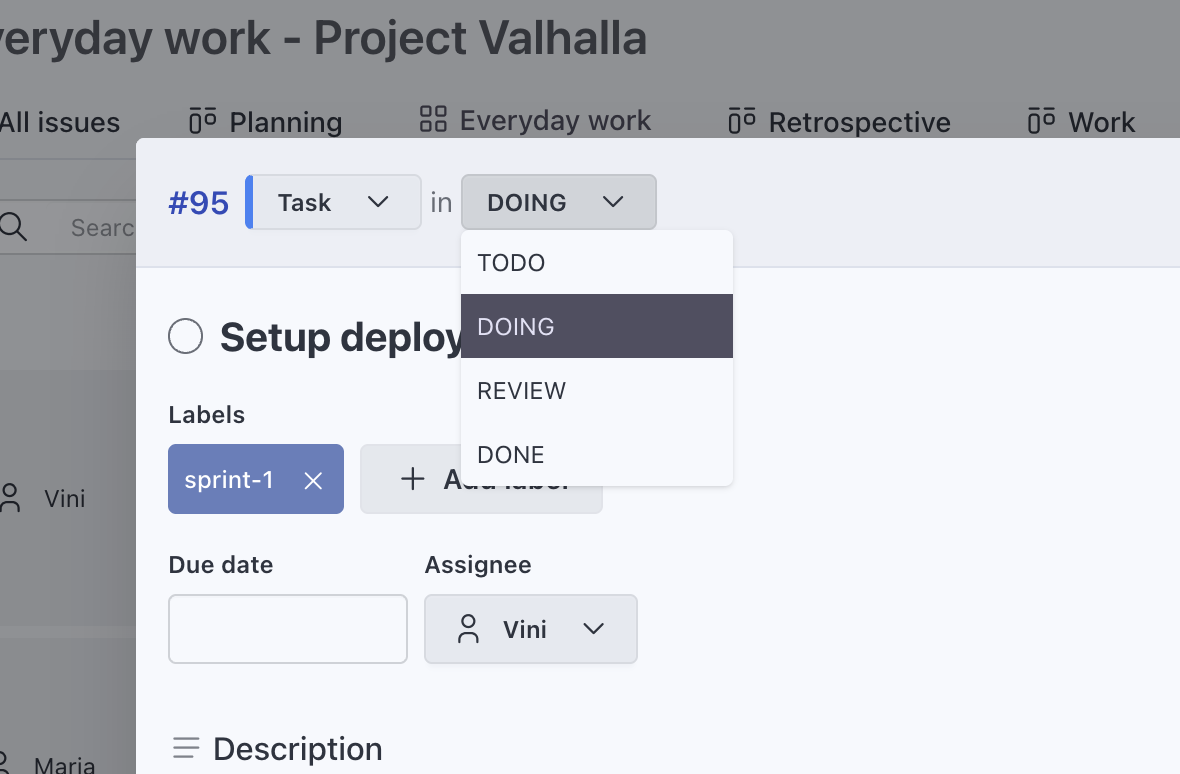
Statuses that match each step
Create statuses like Triage, In Progress, Code Review or Waiting on Vendor. Pick the status new issues start in. When someone finishes an issue, it moves to the final status you pick.
- Different statuses per project
- An initial status for new issues and a final one for finished work
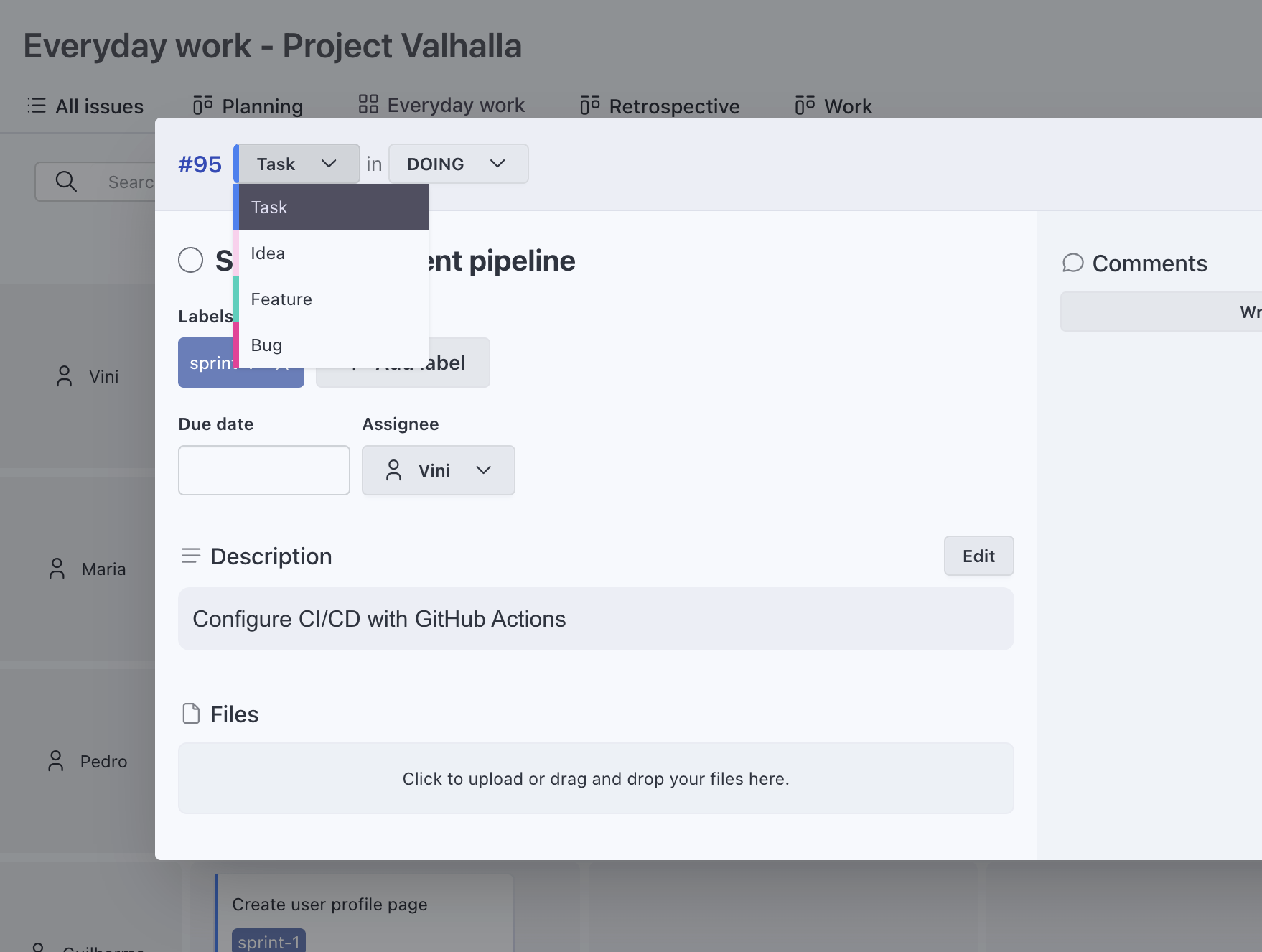
Issue types for the kinds of work you do
Bug, Feature, Task, Incident, Deliverable or anything else. Views can filter by type, so a triage board only shows incidents and a roadmap only shows features.
- Different types per project
- Filter any view by type
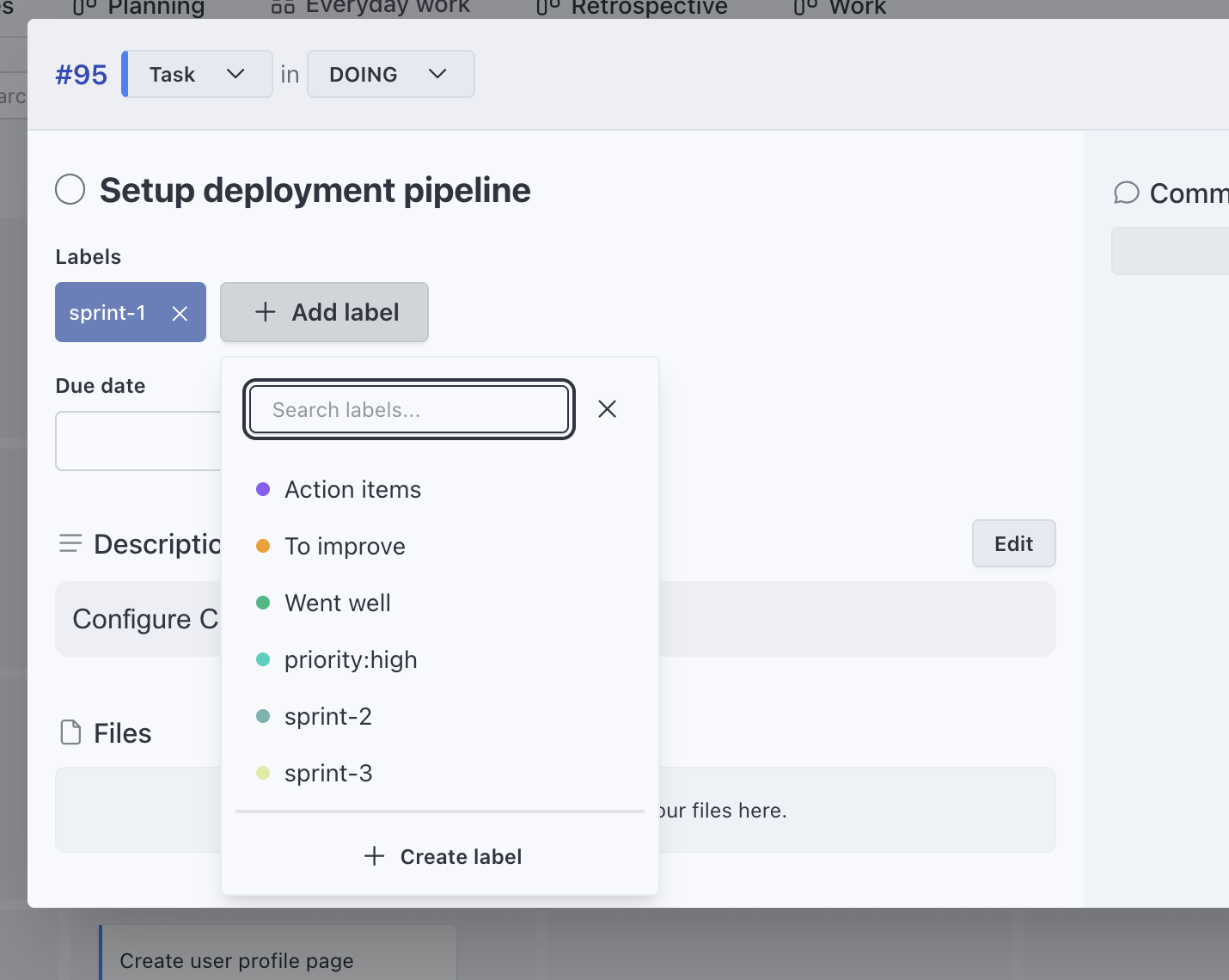
Labels for everything in between
Labels like "release:2.4" or "area:billing" work across views. Filter by them, group by them or use them as board columns.
- An issue can have many labels
- Use labels as columns or rows in any view
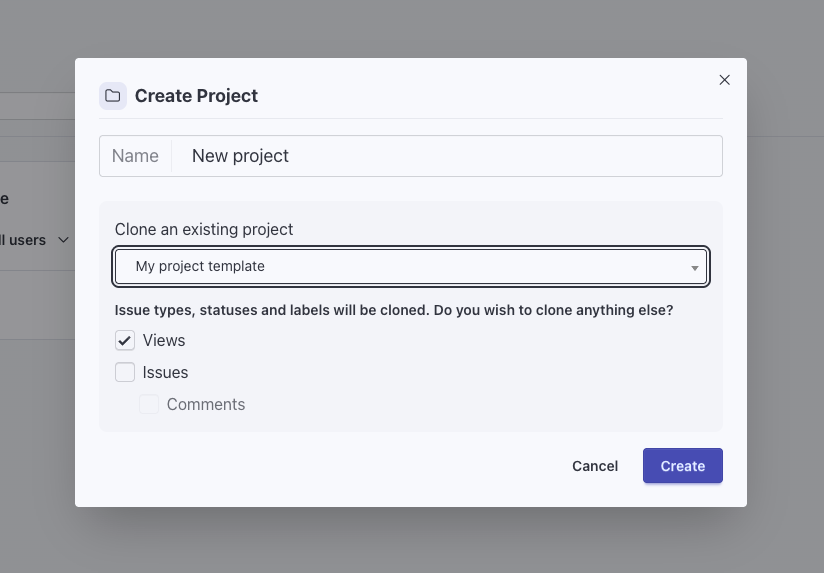
Use any project as a template
Create a new project as a copy of one you already run. The copy brings the statuses, types and labels. You choose whether views, custom fields, issues and comments come along.
- Keep one template project per service or team
- Copy a project from the app, the REST API or MCP
Workflows teams build
Software team
Types Bug, Feature and Tech Debt. Statuses To Do, In Progress, Code Review, QA and Done.
Software developmentIT and support
Types Incident, Service Request and Change. Statuses Triage, In Progress, Waiting on Vendor and Resolved.
IT project managementClient delivery
A template project for each service you sell, copied for every new client.
Agency project managementSales pipeline
An Opportunity type with statuses for each stage: Lead, Initial Contact, Proposal Sent, Negotiation, Won and Lost.
Frequently asked questions
Can two projects have different statuses?
What does the final status do?
Can I copy a project's setup?
Do I have to follow Scrum or another method?
Try it with your own projects
Flat price for your whole team. Cloud from $15/month or self-hosted.
Prefer your own server? See self-hosted plans