
Marketing project management from first idea to published
Plan each campaign on a pipeline board, see publish dates on a timeline by channel and bring writers, designers and reviewers in for one flat price.
Prefer your own server? See self-hosted plans
Is Eigenfocus good for marketing project management?
Yes. Each campaign is a project with its own pipeline, channels and publish dates.
- The pipeline board takes a piece from idea to published.
- A timeline grouped by channel shows when each piece goes out.
- Time logged on each piece adds up per campaign.
Where campaigns lose track
"The plan lives in a spreadsheet."
Each piece is an issue with its brief, draft link and publish date. The timeline is built from those dates.
"Reviews stall and nobody notices."
Review is a status on the pipeline. A board by assignee filtered to Review shows who has pieces waiting.
"We guess how long content takes."
The team logs time on each piece. The time report shows hours per campaign.
Every channel on one timeline
One campaign, grouped by channel. Each bar runs from start to publish date.
Drag a bar to move its dates. The publish date changes on the issue.
The same pieces by stage for the weekly content meeting.
How it works
From idea to published
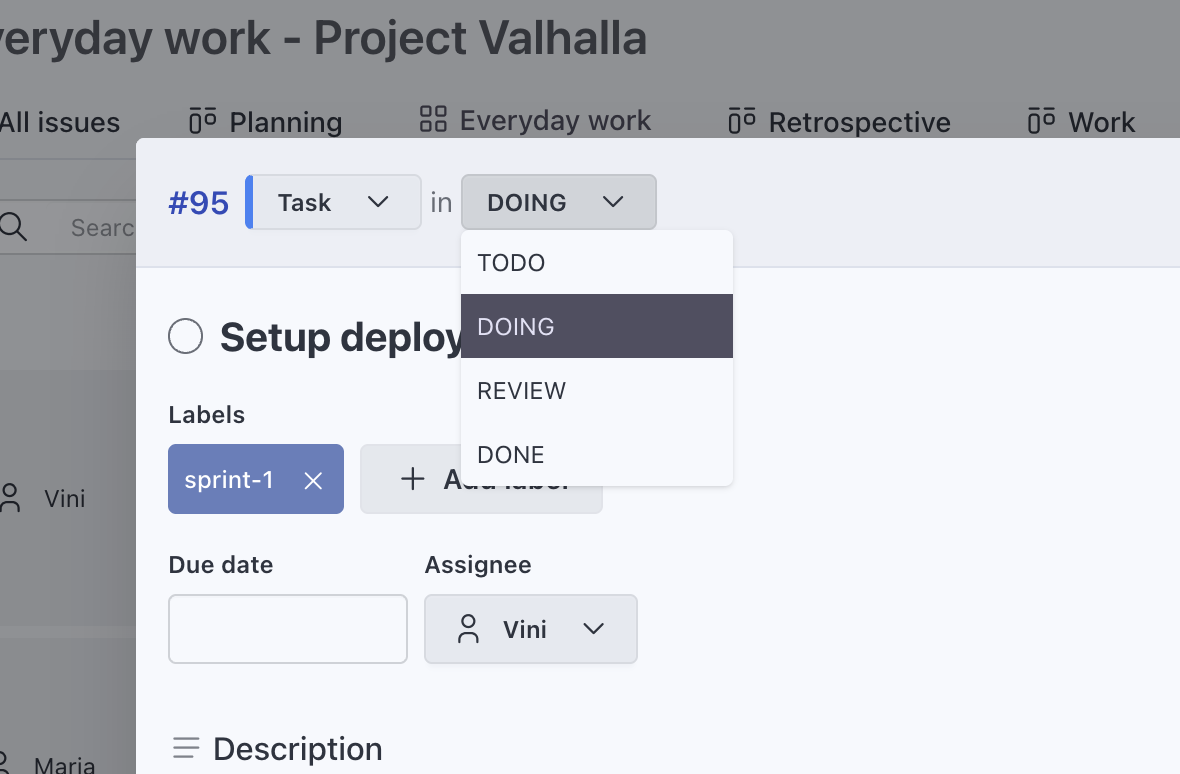
Statuses follow the work: Idea, Brief, Draft, Review, Scheduled and Published. Types like Blog post, Email and Social post show what each piece is.
- Labels for audiences or products
- Cover images on the cards
Channel and effort on every piece
Add Channel as a select field and Effort as a number. Group the timeline by channel and a grid by channel and status.
- A URL field for the draft link
- Pick which fields show on each view
Start each campaign from the last one
Copy last quarter's campaign project. Statuses, types, labels and views come along and you choose whether to bring the fields and issues.
More about custom workflows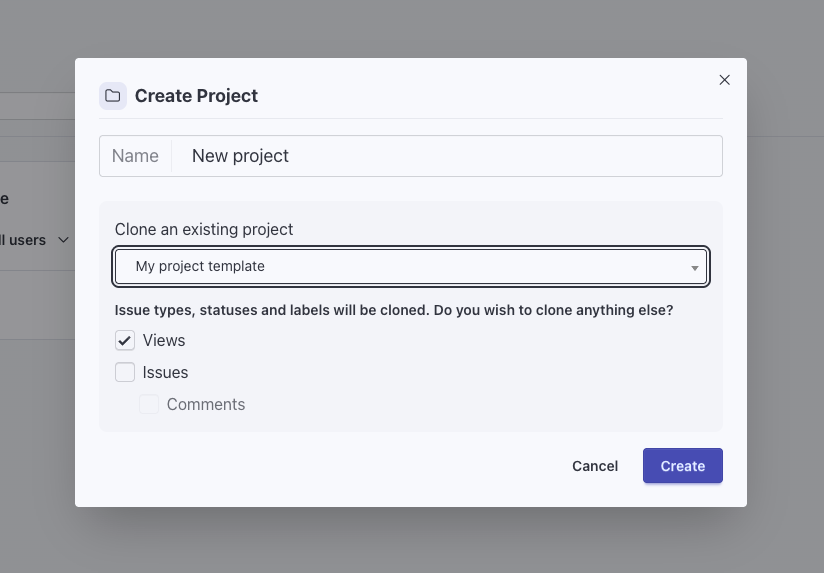
Know what a campaign took
Everyone logs time on the piece they work on. Admins and super managers see the hours per project or per label and export them to CSV.
More about time tracking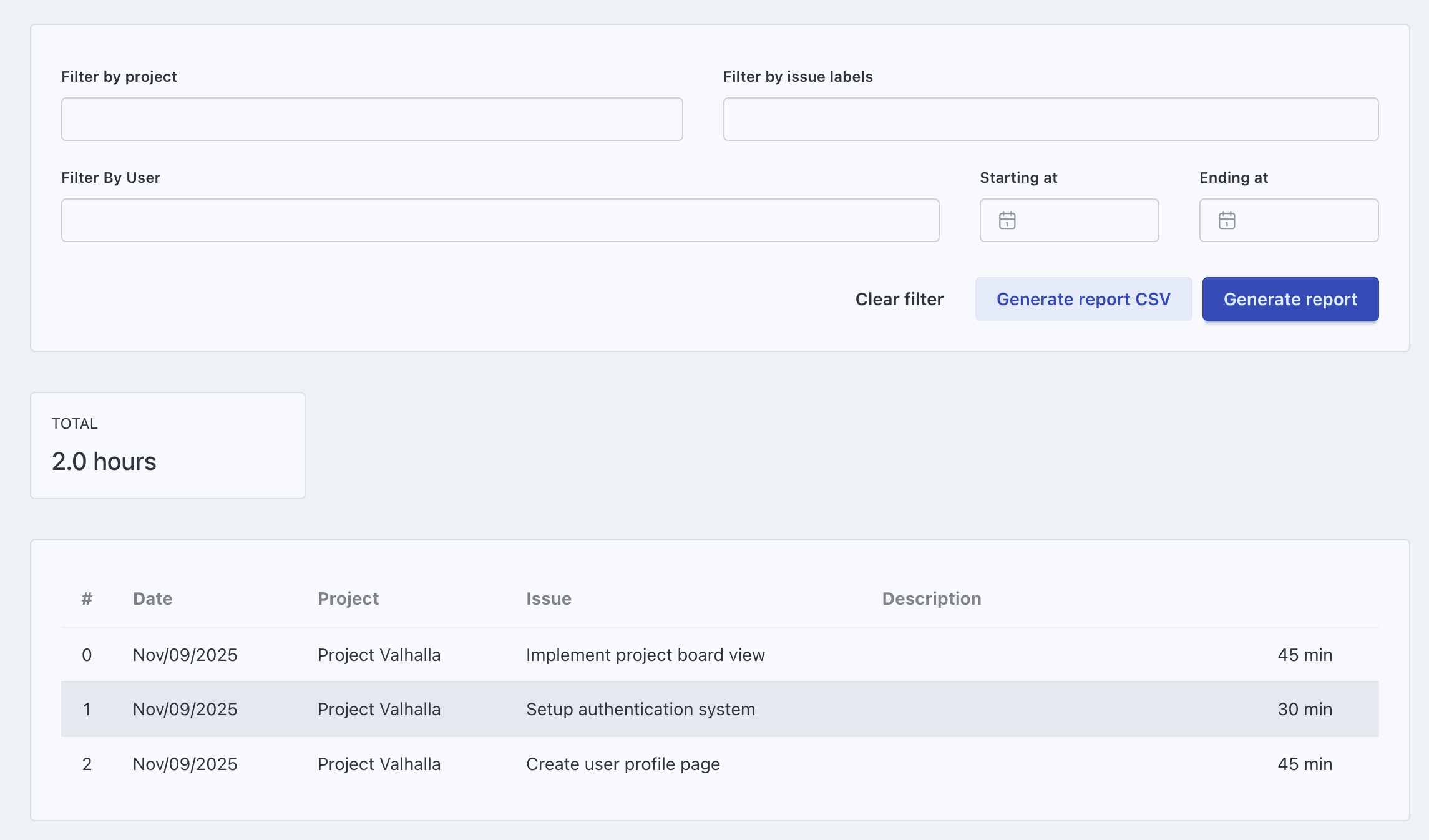
Weeks on a marketing team
Weekly content meeting
Walk the pipeline board from Review back to Idea and move what's ready.
Launch week
The timeline shows every channel going out that week, so the email and the posts land in the right order.
A freelance writer joins
Once an admin invites them, add them to the campaign project. They pick up their drafts and log their hours.
More about permissionsFrom a content plan
Paste the quarter's plan into your AI tool and ask it to create one issue per piece.
More about the MCP serverKeep exploring
Frequently asked questions
Can we plan content by publish date?
Can writers and designers outside the team join?
Can we see how long content takes?
Can we reuse a campaign setup?
How much does Eigenfocus cost for a marketing team?
Try it with your own projects
Flat price for your whole team. Cloud from $15/month or self-hosted.
Prefer your own server? See self-hosted plans